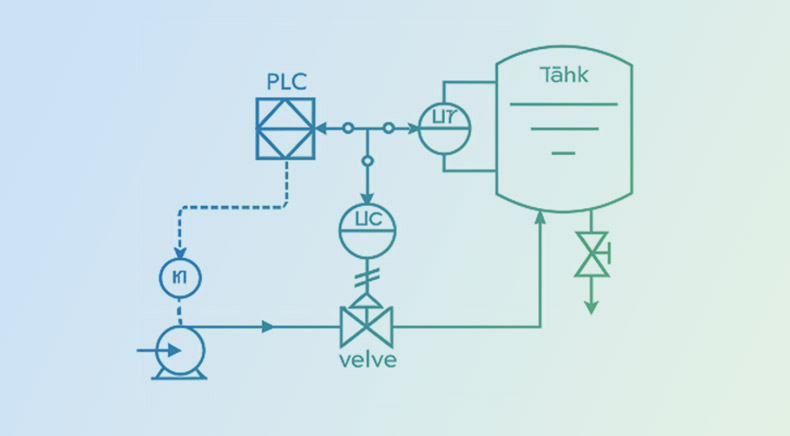
Piping and instrumentation diagrams (P&IDs) serve as crucial blueprints for systems involving fluids and gases in the world of industrial engineering and process design. These detailed diagrams represent the functional relationships of piping, equipment, and instrumentation within a process plant. Valves are one of the key components in a P&ID, as they regulate the flow and pressure of fluids throughout the system. They help engineers, operators, and technicians visualize and interpret the purpose and functioning of a system. Therefore, understanding these symbols is essential for accurate system design, operation, troubleshooting, and maintenance.
In this blog, we will explore the P&ID valve symbols — what they are, their functions, why they are important, and how to read and interpret them, along with best practices for reading these symbols effectively.
Why Are Different Valve Symbols Important in P&IDs?
Valves play an essential role in:
- Starting and stopping flow
- Regulating pressure or temperature
- Controlling fluid direction
- Protecting equipment from overpressure
- Isolating equipment for maintenance
Since different valves serve distinct purposes and have unique operational characteristics, their accurate representation on P&IDs is necessary to:
- Understand process logic
- Ensure operational safety
- Optimize maintenance procedures
- Supporting automation and controlling logic
Overview of P&ID Symbols for Valves
Valve symbols represent the type, function, and sometimes actuation method of a valve. Most symbols consist of:
- Body shape indicating valve type.
- Lines and arcs suggesting flow direction or control.
- Additional markers for automation, manual operation, or remote control.
A well-crafted P&ID symbolically communicates all necessary valve attributes without text clutter.
Understanding Valve Tags and Labels
Valve symbols are often accompanied by tags that provide more context. A typical valve tag might look like: “V-101”
Where: V: Indicates a valve & 101: A unique number in the system
Some companies use naming conventions based on plant area, medium, or function. Tags may also indicate the valve type or material, like:
- VGV: Vent Gas Valve
- FCV: Flow Control Valve
- SDV: Shut Down Valve
- MOV: Motor Operated Valve
Valve tags in digital P&IDs are usually linked to a database, enabling faster access to specs, maintenance data, and vendor details.
Common Types of Valves and Their Functions
Let’s break down the most frequently used valve symbols in P&IDs and how they’re represented:
Types of Valves
2-Way Valves:
A 2-way, on/off valve is represented by two equilateral triangles pointing towards each other. Different types of lines are used to represent different valve types, and the direction of the flow is indicated by an arrow at the end of the line.
The most depicted 2-way valves include:
- Ball Valve
- Butterfly Valve
- Plug Valve
- Gate Valve
- Globe Valve
- Pinch Valve
- Needle Valve
- Diaphragm Valve
3-Way & 4-Way Valves:
For multi-port valves, extra triangles are added to the symbol. L-port and T-port valves are shown with lines inside the ball symbol, and the flow path is indicated with small arrows next to the symbol.
| S.No. | Name/Type of Valve | Purpose | Variants |
| 1 | Gate Valve | On/off service; minimal pressure drop | Rising stem gate valve, Non-rising stem gate valve |
| 2 | Globe Valve | Flow regulation | Angle globe, Straight globe |
| 3 | Ball Valve | Quick shut-off, low torque operation | Full port, Reduced port |
| 4 | Butterfly Valve | Flow regulation; compact design | Lug-type, Wafer-type |
| 5 | Check Valve | Prevents backflow | Swing check, Lift check, Ball check |
| 6 | Diaphragm Valve | Corrosive fluid control | |
| 7 | Plug Valve | Quick shut-off | |
| 8 | Needle Valve | Precise flow control | |
| 9 | Pressure Relief Valve / Safety Valve | System protection from overpressure | Pressure Safety Valve (PSV), Pressure Relief Valve (PRV), Rupture disc (depicted differently) |
| 10 | Control Valve | Automated flow control based on process inputs | Flow control (FCV), Pressure control (PCV), Temperature control (TCV) |
Valve States
Valves can be classified based on how they behave when no power or control signal is applied. The three main types are:
- Normally Open (NO): The valve stays open when it’s not powered or actuated.
- Normally Closed (NC): The valve stays closed when it’s not powered and only opens when it’s actuated.
- Bistable: These valves hold their position even if power is lost. They need a separate action to change their state—like a latching solenoid valve that stays in its last position until it gets a new command.
There are also variations of these, such as valves that are usually open or usually closed under typical operating conditions.
Though it is important to note that just because a valve symbol is filled in or blacked out doesn’t automatically mean it’s NO or NC—these visual cues are often used interchangeably and can be confusing. A much clearer approach is to label valves directly with “NO” (Normally Open) or “NC” (Normally Closed), as shown in our symbol examples.
Actuator Types and Symbols
Valves in P&IDs are often associated with actuators which automate valve operation. Common actuator types and their P&ID symbols include:
| Actuator Type | Symbol Representation | Application |
| Manual (Handwheel) | Simple circle or line over the valve symbol | Manual operations |
| Electric Actuator | Box symbol with ‘E’ or lightning bolt | Remote electrical control |
| Pneumatic Actuator | Box with arrow and “P” or airflow lines | Air-operated control |
| Hydraulic Actuator | Box with ‘H’ or fluid arrows | High-pressure control |
| Solenoid Actuator | Box with solenoid coil symbol (zigzag or loop) | Fast operation for on/off flow |
Fail-Safe Position
Certain actuators are made to automatically shift the valve to a safe open or closed position if power or control is lost. This is known as the fail-safe position. Usually, diagrams with an arrow connecting the valve and actuator display this. “FO” (Fail Open) or “FC” (Fail Closed) are additional letters often used to denote this.
End Connections
Valve end connections can be shown in a few different ways in diagrams:
- Generic Connection: Often, pipes are shown simply running into the valve, like in many standard examples.
- Flanged Connection: Represented by short perpendicular lines at the ends of the pipe near the valve, with a small gap. This shows the valve can be removed without cutting the pipe.
- Threaded Connection: These are semi-permanent and shown with small open (hollow) circles where the pipe connects to the valve.
- Welded Connection: Permanent connections are represented with small solid squares. If it’s a socket weld, the square is hollow instead.
P&ID – Valve Symbols
Valves regulate, isolate, or direct flow within a process. As such, they are crucial control elements in any process facility. The correct interpretation of valve symbols in a P&ID:
- Ensures accurate system understanding
- Supports design verification and safety checks
- Assists in maintenance planning
- Prevents operational mishaps
- Facilitates communication between multidisciplinary teams
Different valve types and actuation methods are used depending on the fluid, pressure, temperature, and control needs of the system. Hence, precise representation in P&IDs is essential.
Let’s look at some common valve symbols and functions along with their symbolic representations:
| Type of equipment | Supportive icon | Message |
|---|---|---|
| Hand-Operated Gate Valve | 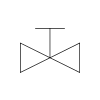 |
Manual shutoff valve for on-off control. |
| Gate Valve |  |
Linear motion valve for fluid isolation. |
| Closed Gate Valve |  |
Shut gate valve blocking fluid flow. |
| Hand-Operated Glove Valve | 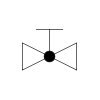 |
Manual throttling valve for flow regulation. |
| Globe Valve | 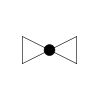 |
Regulates flow with spherical valve design. |
| Rotary Valve | 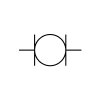 |
Rotating plug valve for directional control. |
| Needle Valve | 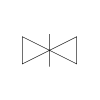 |
Precise flow control with needle stem. |
| Control Valve | 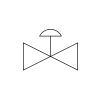 |
Automatically adjusts flow, pressure, or level. |
| Piston-Operated Valve | 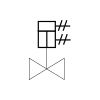 |
Actuated valve using piston mechanism. |
| Back-Pressure Regulator | 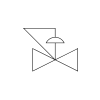 |
Maintains system pressure by backflow regulation. |
| Plug or Cock Valve | 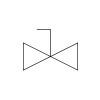 |
Rotating plug used to start/stop flow. |
| Check Valve | 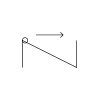 |
Allows one-way flow; prevents reverse motion. |
| Check Valve 2 | 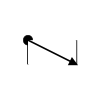 |
Alternative symbol for unidirectional flow control. |
| Butterfly Valve | 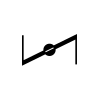 |
Quarter-turn valve with disc control. |
| Flanged Valve |  |
Valve with flanged ends for connection. |
| Flanged Valve 2 | 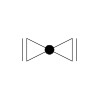 |
Variant flanged valve for pipe isolation. |
| Angle Valve Hand-Operated | 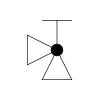 |
Manual valve with angled inlet/outlet. |
| Angle Globe Valve | 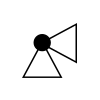 |
Angled globe valve for flow control. |
| Relief Valve | 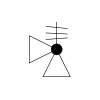 |
Releases excess pressure to prevent damage. |
| Angle Valve |  |
Turns flow direction at an angle. |
| Angle Blowdown Valve | 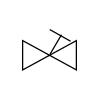 |
Releases sediment from bottom of vessel. |
| Ball | 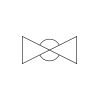 |
Spherical valve element for tight shutoff. |
| Normally Closed Ball |  |
Stays shut unless actuated open. |
| Diaphragm | 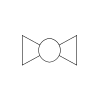 |
Flexible membrane for valve actuation control. |
| Plug Valve | 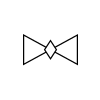 |
Rotating plug to start or stop flow. |
| Solenoid Valve | 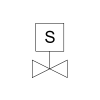 |
Electrically controlled valve for automation. |
| Hydraulic Valve | 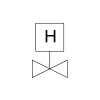 |
Operated by hydraulic actuator mechanism. |
| Motor-Operated Valve | 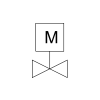 |
Electrically driven valve for remote control. |
| Pilot Gate Valve | 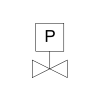 |
Uses pilot pressure for main valve. |
| Weight Gate Valve | 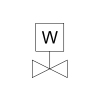 |
Uses weight for valve actuation. |
| Powered Valve | 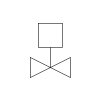 |
Operated by motor, hydraulic, or pneumatic. |
| Float-Operated Valve | 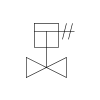 |
Float mechanism controls fluid level automatically. |
| Needle Valve | 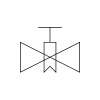 |
Fine-threaded valve for precise flow regulation. |
| 3-Way Valve | 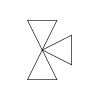 |
Diverts flow between three inlet/outlets. |
| 3-Way Valve2 | 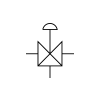 |
Alternative 3-port valve for redirection. |
| 3-Way Plug Valve | 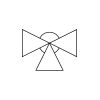 |
Plug redirects flow to three ports. |
| 4-Way Plug Valve | 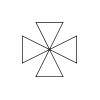 |
Four-port valve for complex flow routing. |
| 4-Way Valve | 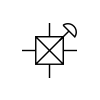 |
Allows fluid routing across four directions. |
| Electro-Hydraulic Valve | 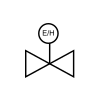 |
Electrically controlled hydraulic actuation valve. |
| Balanced Diaphragm Gate Valve | 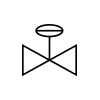 |
Balanced control with diaphragm actuation. |
| Spring Gate Valve | 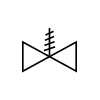 |
Uses spring force for operation/reset. |
| Ram Valve |  |
Uses ram-type actuator for sealing flow. |
| Side Valve | 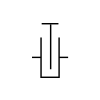 |
Side-mounted valve for lateral flow access. |
| Metering Coke | 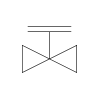 |
Controls coke flow with metering precision. |
| Knife Valve | 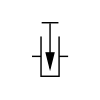 |
Sharp-edged valve for cutting flow solids. |
| Excess Flow Valve | 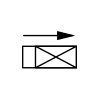 |
Closes when excess flow is detected. |
| Post Indicator | 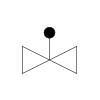 |
External indicator for valve open/close. |
| Self Draining Valve | 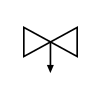 |
Ensures line completely drains post-operation. |
| Diaphragm Valve |  |
Flexible diaphragm seals flow path precisely. |
| Pinch Valve | 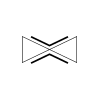 |
Compresses flexible tube to stop flow. |
| Minimum Flow Valve | 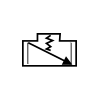 |
Maintains minimum flow to avoid damage. |
| Auto Recirculation | 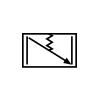 |
Automatically recirculates flow below threshold. |
| Gauge | 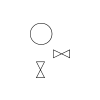 |
Instrument to monitor pressure or flow. |
| Bleeder Valve |  |
Releases trapped air or pressure buildup. |
| Integrated Block Valve | 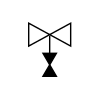 |
Combines block function within instrumentation system. |
| Manual Integrated Valve | 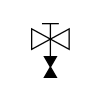 |
Manual version of integrated block valve. |
| Orifice | 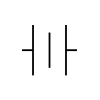 |
Restriction used to measure/control flow. |
| Rotameter | 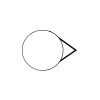 |
Variable area flow meter with float. |
| Quarter Turn Valve Double Acting | 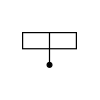 |
Turns both ways with pneumatic control. |
| Quarter Turn Valve Spring Acting | 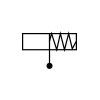 |
Turns and returns via spring action. |
| Water Flow Meter | 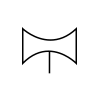 |
Measures water flow through pipeline. |
| Self-Operating Release Valve |  |
Opens automatically under set conditions. |
Do give this blog a read if you wish to learn what are Piping and Instrumentation Diagrams (P&ID)s , and their significance across diverse industries.
Standardization of Valve Symbols
To maintain uniformity and consistency across industries, standard valve symbols are used in P&IDs. The following standards include:
- ISA S5.1 – Instrumentation Symbols and Identification (by International Society of Automation)
- ANSI/ISA-5.1-2009 – Instrumentation Symbols and Identification
- ISO 10628 – Diagrams for the chemical and petrochemical industry
- PIP (Process Industry Practices)
These standards define graphical representations and tag identifiers for various valve types.
Best Practices for Reading Valve P&ID Symbols
To correctly interpret valve symbols on a P&ID:
- Use the P&ID Legend: Always refer to the legend or symbol key provided in the P&ID drawing set. Different companies or projects may use slightly varied standards.
- Understand Flow Direction: Look for arrows or pipeline orientation to understand how flow moves through the valve.
- Read the Control Loop: Check associated instruments like transmitters and controllers to understand how the valve operates in the loop.
- Check for Redundancies: Look for fail-safe setups like DBB, bypass valves, and interlocks. These are critical for process safety and maintenance.
- Cross-Reference with Line Lists: Use line designation tables and valve lists to confirm sizes, pressure classes, and materials.
Best Practices for Engineers & Designers from Rishabh Pro Engineering Perspective
- Always refer to the legend or key that accompanies P&IDs.
- Use standard-compliant symbols (ISA, ISO, PIP) across all drawings.
- Ensure consistency between P&ID and other deliverables like piping isometrics, layout drawings, and instrumentation data sheets.
- Update valve symbols and tags when system changes occur (MoC compliance).
- Use software tools like AutoCAD P&ID, SmartPlant P&ID, or AVEVA Diagrams for symbol libraries and automatic tagging.
Common Mistakes in Interpreting Valve Symbols
- Misidentifying similar shapes – Ball and plug valves look alike but function differently.
- Ignoring actuator type – Leads to wrong assumptions in automation capabilities.
- Forgetting flow direction – Especially important in check and control valves.
- Overlooking tag codes – These provide context; don’t ignore them.
- Assuming graphical scale – Symbols are not to scale; placement is logical, not physical.
Final Words
When designing a new facility or upgrading an existing one, it’s crucial to correctly understand valve symbols in P&IDs. A solid grasp of these symbols ensures that the valve specifications match the process needs and operational goals. Valve symbols in P&IDs form the backbone of process and equipment design documentation, playing a critical role across engineering disciplines.
With a skilled multidisciplinary design team offering specialized equipment engineering services, you can trust that every valve is accurately represented and properly integrated. Their deep understanding of different valve types, symbols, and how they fit into the bigger picture helps ensure smooth coordination between design, commissioning, operations, and maintenance teams. By using industry-standard symbols, clear tagging, and advanced design tools, accurate valve representation remains central to efficient and error-free plant engineering.
Frequently Asked Questions On P&ID Valve Symbols
Q: What are valve P&ID symbols?
A: Valve P&ID symbols are standardized graphical representations used in piping and instrumentation diagrams to depict different valve types, functions, and control mechanisms. They help engineers understand how fluids are regulated within a system. These symbols also indicate valve position, actuation method, and role in the process, enabling clear communication across design, operations, and maintenance teams.
Q: How do you read and interpret valve symbols on a P&ID?
A: Reading valve symbols involves identifying the valve type, actuation method, and flow function based on standardized shapes and annotations. Tags such as FCV or PCV indicate control purpose, while additional markings show fail position or automation type. Understanding legend references and standards like ISA ensures accurate interpretation of how each valve operates within the system.
Q: What is the difference between Normally Closed (NC), Normally Open (NO), Fail Open (FO), and Fail Closed (FC) valves?
A: Normally Open (NO) and Normally Closed (NC) describe a valve’s default position under normal operating conditions. Fail Open (FO) and Fail Closed (FC) indicate how the valve behaves during a failure, such as loss of power or air. These distinctions are critical for safety and process control, ensuring systems respond predictably during abnormal situations.
Q: What is the difference between PSV, PRV, and rupture disc symbols in a P&ID?
A: PSV (Pressure Safety Valve) and PRV (Pressure Relief Valve) are both used to release excess pressure, but PSVs are typically for compressible fluids, while PRVs handle liquids. A rupture disc is a non-reclosing device that bursts at a set pressure. Each has a distinct symbol in P&IDs, helping engineers identify pressure protection strategies quickly.
Q: How are control valves (FCV, PCV, TCV) represented differently from manual valves?
A: Control valves such as FCV, PCV, and TCV are shown with additional elements like actuator symbols and control loops, indicating automated operation. They are usually tagged based on the parameter they regulate: flow, pressure, or temperature. Manual valves, on the other hand, are simpler symbols without automation indicators, representing direct human operation.
Q: What is a Double Block and Bleed (DBB) arrangement, and how is it shown in a P&ID?
A: A Double Block and Bleed (DBB) arrangement consists of two isolation valves with a bleed valve in between, used to safely isolate sections of piping. In a P&ID, this is shown as two valve symbols with a smaller bleed valve between them. It is commonly used in high-risk systems requiring secure isolation and pressure release.
Q: Why are some valve symbols filled (black) while others are hollow?
A: Filled (black) and hollow valve symbols often indicate different valve types, functions, or ownership conventions depending on company or standard practices. In some cases, filled symbols represent automated or critical valves, while hollow ones indicate manual valves. However, interpretation may vary, so referring to the P&ID legend is essential for accurate understanding.
Q: Are valve symbols standardized across industries?
A: Valve symbols in P&IDs follow widely accepted standards such as ISA and ISO, ensuring a level of consistency across industries. However, slight variations may exist depending on company practices, project requirements, or regional standards. Engineers must always refer to the project-specific legend to correctly interpret symbols and avoid miscommunication.
Q: Which standards define P&ID valve symbols?
A: P&ID valve symbols are primarily defined by standards such as ISA 5.1, ISO 10628, and ANSI guidelines. These standards provide rules for symbol representation, tagging, and diagram structure. Following these ensures uniformity, improves readability, and facilitates collaboration across multidisciplinary teams working on engineering design and execution projects.
Q: What software tools are used to create P&ID valve diagrams?
A: Common software tools for creating P&ID valve diagrams include AutoCAD P&ID, AVEVA P&ID, SmartPlant P&ID, and CADWorx. These platforms offer symbol libraries, tagging features, and integration with engineering databases. They help streamline design workflows, maintain consistency, and enable efficient updates throughout the project lifecycle.